Follow the steps below to move FashionGen content into the default installation path so that FashionGen can detect it.
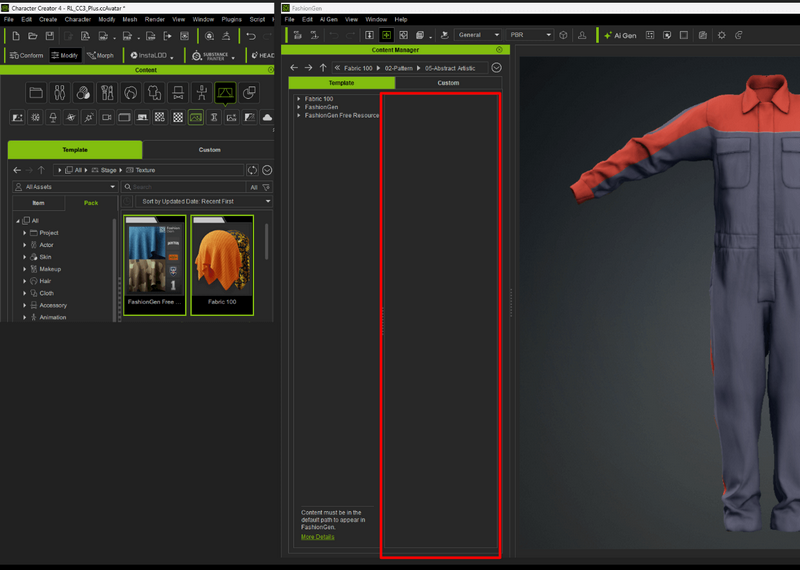
1. Open CC Content Manager and locate the pack under “Template > Stage > Texture > FashionGen”.
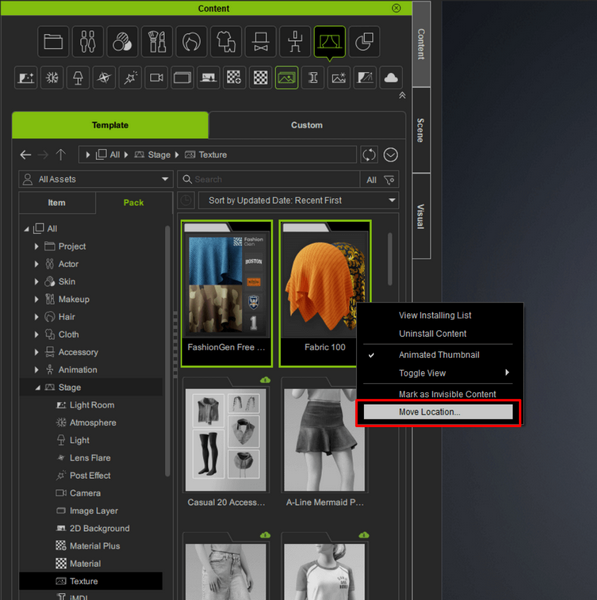
2. Select the pack, right-click it, and choose “Move Location”.
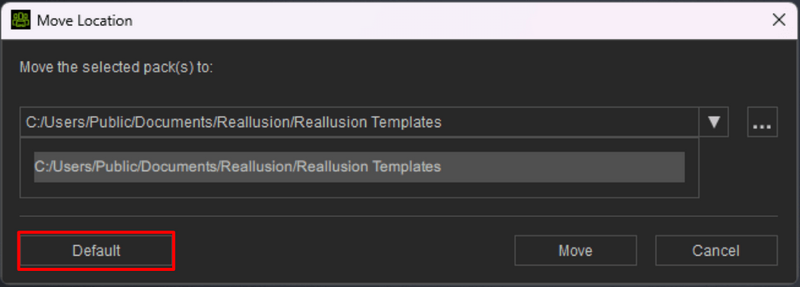
3. In the pop-up dialog, click the Default button to reset the content path.
4. Once completed, check to ensure that the content is available in the FashionGen Content Manager.