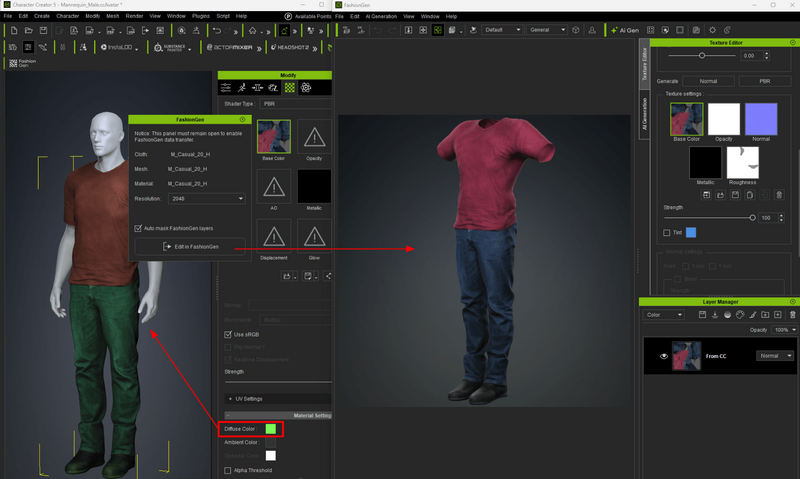
Please check whether the clothing material in Character Creator has had its color adjusted. FashionGen cannot read these color adjustments. To avoid color changes, it is recommended that you either reset the color tint to white before editing in FashionGen or replace the color directly within FashionGen. When the results are sent back from FashionGen to Character Creator, the original color will be overwritten.
This issue typically does not affect Reallusion-created content, as it is published with the tint set to white to ensure full compatibility with FashionGen.